
Your sales team just spent three weeks chasing a lead that went nowhere.
Meanwhile, a competitor closed a deal in six days with the same prospect—because they knew something you didn’t. The prospect’s telecom provider had just suffered a major outage. Their contract was up for renewal in 47 days. And the IT Director was already looking for alternatives.
That’s not luck. That’s trigger-based outbound.
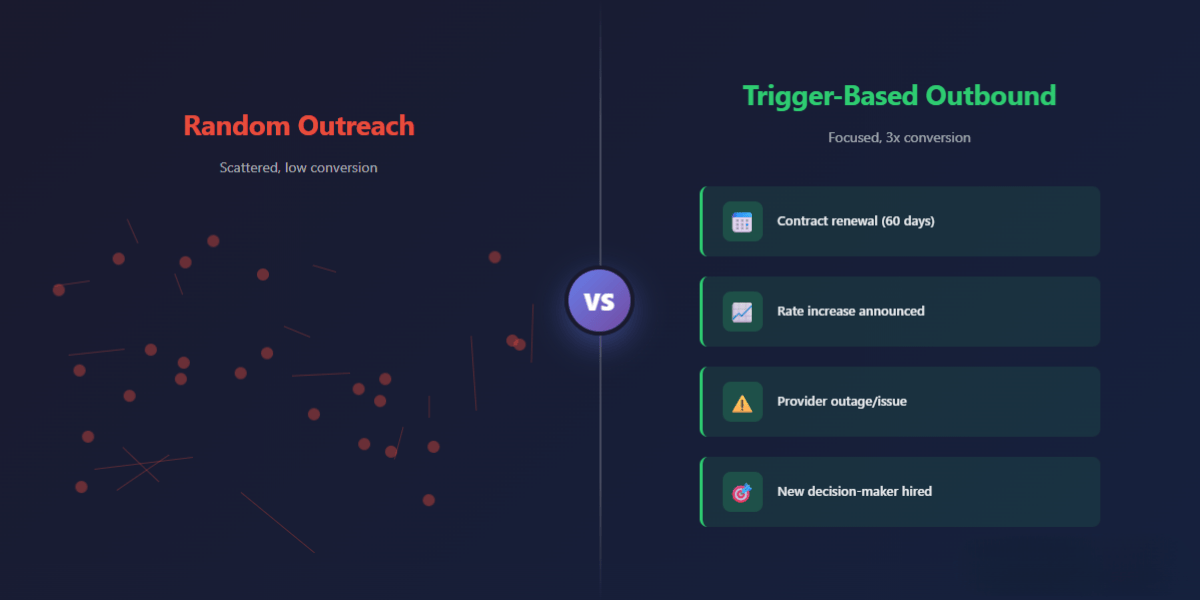
Most outbound teams are still selling into random lists, hoping someone happens to be ready. But the best teams have stopped guessing. They’ve built their entire approach around “panic moments”—the specific events that make prospects suddenly ready to act. And they’re closing three times more deals because of it.
This isn’t about better scripts or more follow-ups. It’s about knowing exactly when to show up.
Table of Contents
- What Is a Panic Moment?
- Why Random Lists Kill Conversion
- The Psychology Behind Trigger-Based Selling
- The Panic Moment Framework (5 Steps)
- Trigger Library by Vertical
- How to Find Triggers Ethically
- What “Qualified” Actually Means at Trigger Moments
- Common Mistakes (And How to Fix Them)
- Real Scenarios: Triggers in Action
- Your 7-Day Implementation Checklist
- FAQs
- Take Action
What Is a Panic Moment?
A panic moment is a specific event that disrupts the status quo and forces someone to reconsider their current setup.
It’s not about creating fear. It’s about recognising when the market has already created urgency.
For an energy broker, it’s when a client’s supplier announces a 40% rate increase. For an MSP, it’s when a prospect’s current provider misses three SLA commitments in a row. For a merchant services provider, it’s when a restaurant chain opens five new locations and realises their EPOS system can’t scale.
These moments open buying windows that didn’t exist 48 hours earlier.
Why Random Lists Kill Conversion
Here’s what happens when you target random lists:
You’re calling companies who aren’t actively evaluating alternatives. Their current provider is “fine enough.” There’s no budget conversation happening. No one’s been asked to run a comparison. The decision-maker isn’t even thinking about your category.
So your perfectly crafted message gets ignored—not because it’s bad, but because the timing is wrong.
Most sales leaders respond to this by cranking up volume. More dials. More emails. More “touches.” But activity without context just creates noise. You end up burning through lists, exhausting your team, and wondering why reply rates keep dropping.
The invisible problem isn’t effort. It’s misalignment with market readiness.

The Psychology Behind Trigger-Based Selling
Trigger-based outbound works because it taps into four behavioural realities:
Loss aversion: People react more strongly to potential losses than equivalent gains. A rate hike, outage, or compliance deadline creates perceived loss—which drives action faster than any promise of improvement.
Status quo bias: Most buyers won’t switch unless something forces them to reconsider. Triggers break the inertia.
Salience: When a trigger event happens, your solution category suddenly becomes top-of-mind. You’re not interrupting—you’re arriving exactly when they’re already thinking about the problem.
Urgency without pressure: Real urgency (contract ending, rates increasing, system failing) is external. You’re not manufacturing it. You’re simply responding to it with a timely solution.
This is why trigger-based messages get 3–5x higher reply rates than generic cold outreach. You’re not convincing someone they have a problem. You’re showing up when the problem has already convinced them.
The Panic Moment Framework (5 Steps)
Here’s how top teams build trigger-based outbound systems:
Step 1: Map Your Vertical’s Trigger Events List the specific events that make your prospects reconsider their current setup. Be concrete. “Budget concerns” is too vague. “Supplier announces 35% price increase with 60-day notice” is a trigger.
Step 2: Build Signal Sources Identify where these triggers surface: industry news, LinkedIn job changes, company announcements, compliance deadlines, provider outages, contract databases, public filings.
Step 3: Create Qualification Overlays Not every trigger is worth pursuing. Layer in: decision-maker access, contract position, company fit, and timing window. A trigger without authority access is just noise.
Step 4: Design Trigger-Specific Messaging Generic templates don’t work here. Each trigger needs its own angle. Reference the specific event. Show you understand the implication. Offer a clear next step.
Step 5: Track and Refine Monitor which triggers convert, which fizzle, and why. Double down on what works. Cut what doesn’t.
This isn’t a one-time exercise. It’s a system.
Trigger Library by Vertical
Different industries have different panic moments. Here’s what matters in each:
Energy Brokers
- Supplier rate increase announcements (30–60 days before implementation)
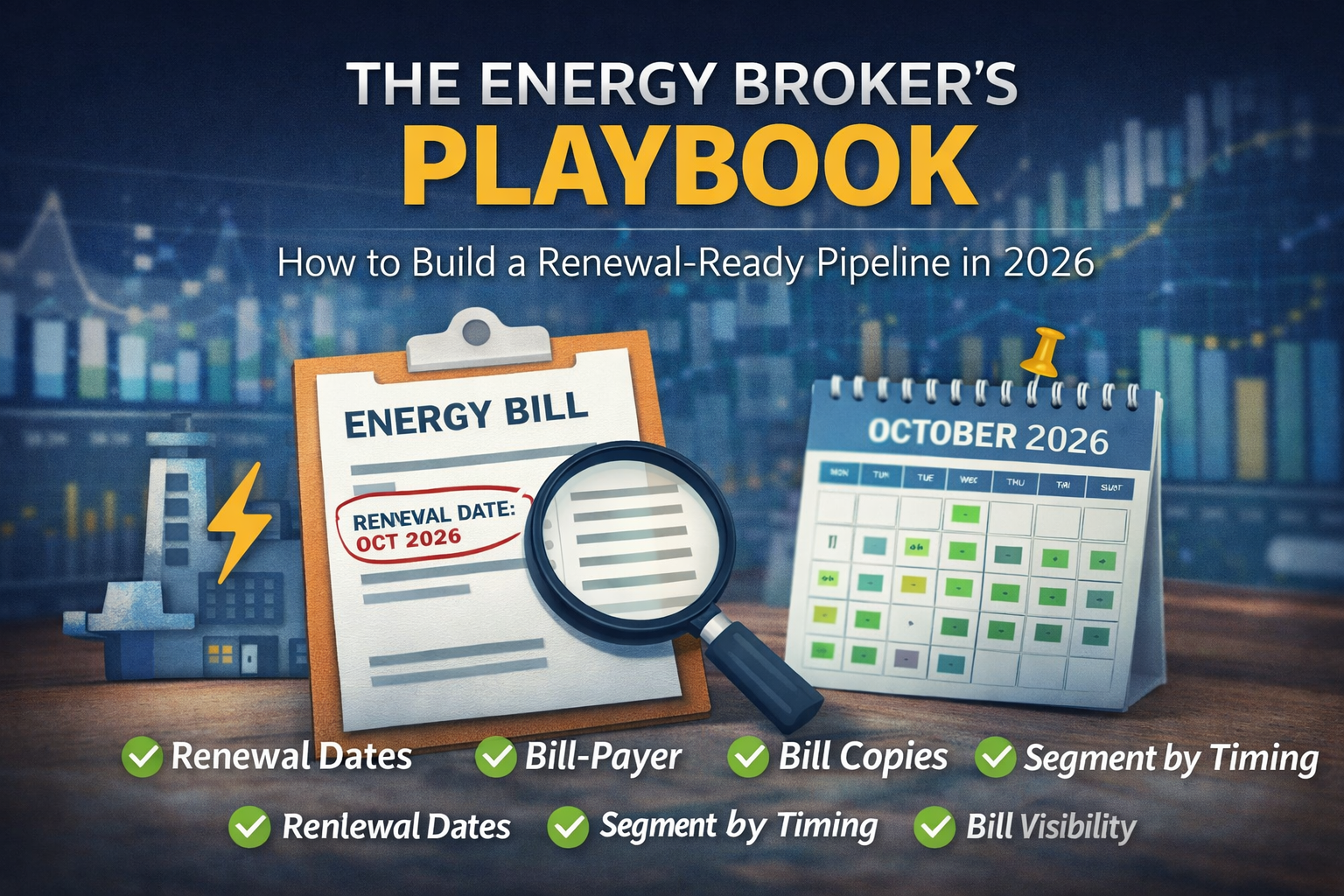
- Contract renewal windows (90–120 days out)
- Procurement or tendering processes starting
- Energy audits revealing overspend
- New site openings or closures
Telecom / VoIP
- Provider outages or service issues
- Contract end dates (6–12 weeks before expiry)
- Office moves or relocations
- Headcount growth (new seats/lines needed)
- Microsoft Teams integration projects
- Switching from legacy systems
MSP / IT Services
- Current provider missing SLA commitments
- Security incidents or near-misses
- Microsoft 365 migrations starting
- Compliance deadline approaching (Cyber Essentials, ISO 27001)
- New IT Director hired
- Poor ticket response times
Merchant Services / EPOS
- New location openings
- Acquiring bank fee increases
- Terminal hardware failures
- High chargeback rates
- Seasonal volume spikes (hospitality, retail)
- Owner dissatisfaction with current provider
How to Find Triggers Ethically

You don’t need to be creepy to spot triggers. Here’s how to do it properly:
Use Public Data Sources:
- LinkedIn (job changes, company updates, hiring patterns)
- Company websites (news sections, case studies, expansion announcements)
- Industry news sites and trade publications
- Regulatory filings and compliance databases
- Provider status pages (outages, maintenance)
Build First-Party Intelligence:
- Track contract renewal cycles from previous conversations
- Monitor annual reports for budget and procurement cycles
- Subscribe to industry newsletters and alerts
- Join vertical-specific communities and forums
Use Technology Wisely:
- Sales intelligence platforms that surface trigger events
- LinkedIn Sales Navigator for hiring and role changes
- Google Alerts for company-specific news
- CRM reminders for renewal windows
The key is to be helpful, not intrusive. If you’re using information that’s publicly available and relevant to solving their problem, you’re fine.
What “Qualified” Actually Means at Trigger Moments
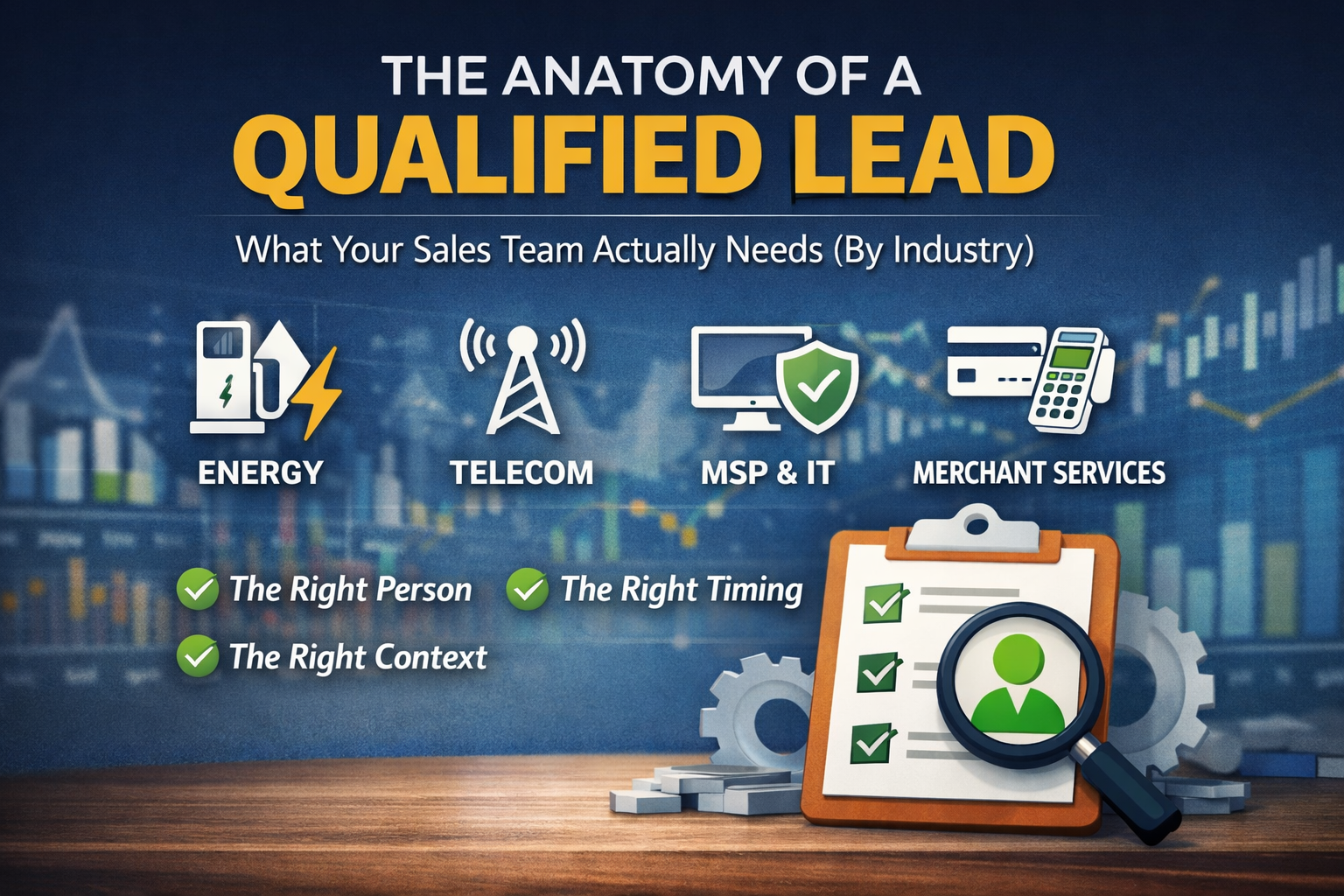
A trigger without proper qualification is just interesting information. Here’s what you need:
| Trigger | What It Means | Who to Speak To | What to Collect |
| Rate increase | Budget pressure, reconsideration window | Procurement, Finance Director | Current rates, contract end date, consumption data |
| Provider outage | Trust broken, switching consideration | IT Director, Operations Director | Current provider, contract terms, technical requirements |
| New location | Immediate need, buying window open | Owner, Operations Manager | Rollout timeline, existing setup, volume projections |
| Contract renewal (60 days) | Active evaluation phase | Decision-maker (varies by vertical) | Current terms, renewal date, decision timeline |
Don’t move forward without:
- Decision-maker access (or a clear path to them)
- Contract position (when does current agreement end?)
- Timing context (when do they need to decide?)
A trigger conversation with the wrong person is still a wasted conversation.

Common Mistakes (And How to Fix Them)
Mistake 1: Treating Every Trigger the Same Fix: Build trigger-specific messaging. A rate increase needs a different approach than an outage.
Mistake 2: Jumping Straight to Pitching Fix: Lead with context. Reference the trigger. Ask about impact. Qualify before you sell.
Mistake 3: Ignoring Timing Windows Fix: Map when each trigger creates urgency. A contract renewal 6 months out isn’t panic. 60 days out is.
Mistake 4: Over-Relying on Automation Fix: Use automation to surface triggers, but personalise your outreach. Generic templates kill trust.
Mistake 5: Forgetting to Qualify Authority Fix: Always confirm: who makes the final decision? If you’re not talking to them (or someone who can connect you), move on.
Myth vs Reality
Myth: Trigger-based selling is just opportunistic. Reality: It’s strategic timing. You’re solving problems when they’re most acute.
Myth: You need expensive tools to find triggers. Reality: Public information, LinkedIn, and manual research get you 80% there.
Myth: Triggers only work for enterprise deals. Reality: SMEs experience triggers constantly—often with more urgency and faster decision cycles.
Real Scenarios: Triggers in Action
Energy Broker Scenario
A business energy broker tracked contract renewal dates across their ICP. When a manufacturing client’s renewal window opened (90 days out), they reached out with a simple message: “Your British Gas contract expires 12th March. Rates have shifted 22% since you last signed. Worth a quick comparison?”
The prospect replied within two hours. Deal closed in three weeks.
Telecom Scenario
A VoIP provider monitored LinkedIn for IT Director hires at mid-sized firms. When a new IT Director joined a law firm using an outdated phone system, they reached out: “Congratulations on the new role. Noticed the firm’s still on an ISDN setup—happy to walk through a Teams-integrated alternative if it’s on your radar.”
First call booked. Migration started 60 days later.
MSP Scenario
An MSP tracked Cyber Essentials deadlines for their target accounts. When a procurement consultancy needed certification for a government tender (45-day deadline), they reached out with a clear offer: “We can get you Cyber Essentials certified in 3 weeks. Here’s what’s involved.”
Signed within a week.
Merchant Services Scenario
A merchant services provider noticed a restaurant group announcing three new openings. They reached out to the owner: “Congrats on the expansion. What EPOS setup are you rolling out? Happy to run a quick comparison if your current provider’s pricing doesn’t scale well.”
Owner was already frustrated with fees. Switched all locations.
Your 7-Day Implementation Checklist
Day 1–2: Map your vertical’s top 10 trigger events. Be specific.
Day 3: Identify 3 signal sources you can monitor weekly (LinkedIn, news, databases).
Day 4: Build a simple CRM field or spreadsheet to track triggers by account.
Day 5: Write trigger-specific message templates (3–5 variations).
Day 6: Set up alerts, reminders, or monitoring systems.
Day 7: Launch with 10–20 trigger-qualified accounts. Test and refine.
Start small. This isn’t about overhauling everything overnight. It’s about layering trigger intelligence into what you’re already doing.
FAQs
What if I can’t find triggers for my vertical? Every vertical has triggers. You might be looking for the wrong ones. Focus on: contract cycles, provider changes, compliance deadlines, expansions, incidents, and leadership hires.
How many triggers should I track? Start with 3–5 high-impact triggers. Once you’ve built a system, expand.
Do I need expensive software? No. LinkedIn, Google Alerts, and manual research work. Tools help scale, but they’re not required to start.
How do I avoid coming across as creepy? Reference public information. Be helpful, not intrusive. If you wouldn’t want someone using that data on you, don’t use it.
What if the trigger happened weeks ago? It depends. Some triggers (outages) fade fast. Others (renewals, compliance) have longer windows. If you’re late, acknowledge it and offer value anyway.
Can I combine triggers? Yes. Multiple triggers (new hire + contract renewal + rate hike) create compounding urgency.
What’s a good reply rate for trigger-based outreach? 10–20% is realistic for well-qualified triggers with strong messaging. Compare that to 1–3% for cold lists.
How do I qualify decision-maker access from a trigger? Ask directly. “Who handles [X] decisions at your firm?” or “Are you the right person to discuss this, or should I connect with [role]?”
Do triggers work for all deal sizes? Yes, but smaller deals move faster. Enterprise triggers take longer to convert but often signal bigger opportunities.
Should I still use standard outbound alongside triggers? Triggers should be your priority. Use standard outbound for accounts where no trigger exists but fit is strong.
Take Action
Most sales teams will read this and do nothing. They’ll keep chasing random lists and wondering why conversion stays flat.
But if you’ve read this far, you already know there’s a better way.
Trigger-based outbound isn’t a tactic. It’s a mindset shift. It’s about showing up when the market is ready, not when you need a deal.
If you want to see what this looks like in practice—how top teams in energy, telecom, MSP, and merchant services are using trigger intelligence to close faster and better—download the Panic Moment Trigger Map.
It’s a one-page framework with the exact triggers, signal sources, and qualification fields we use with clients across the UK.